My Memorial Hermann™
- 4.3
- Rating
- 100.00K
- Installs
- Free
- Price

 Analysis by App-foxy
Managing healthcare is rarely difficult because of one single task. The frustration usually comes from having several small tasks scattered across phone calls, paper notes, appointment reminders, test results, and questions for a care team. My Memorial Hermann™ is designed to bring that routine into one mobile experience for people who use Memorial Hermann services. I found its main appeal less in flashy extras and more in reducing the number of separate steps involved in keeping track of personal health information.
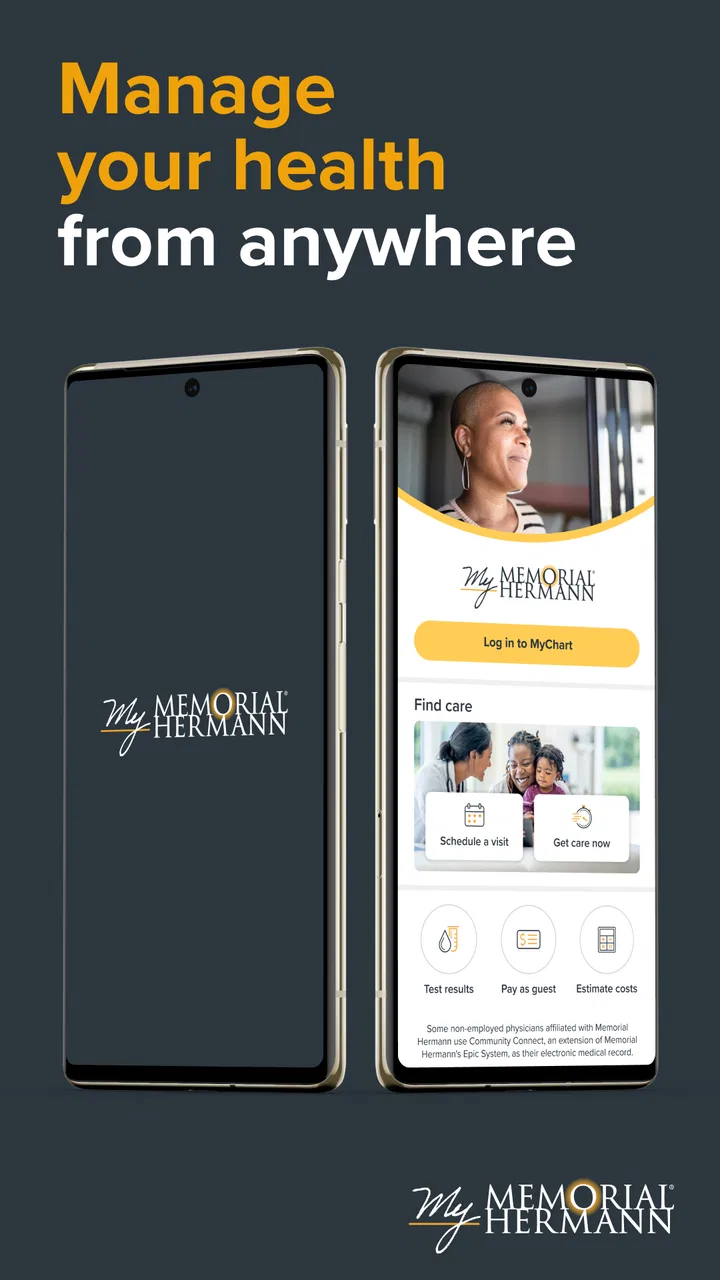
This is a free medical app from Memorial Hermann Health System, available to an Everyone-rated audience. It combines the My Memorial Hermann experience with MyChart, so the central idea is straightforward: use one place to handle common healthcare administration instead of relying on a browser, a phone call, or a folder full of documents. The app has reached over one hundred thousand installs and holds an average rating of 4.3 from more than five hundred ratings, which suggests that many users find it practical while still leaving room for the occasional frustrating experience.
What I would consider before choosing it
The first decision is whether Memorial Hermann is already part of your healthcare routine. This is not a general-purpose health tracker, symptom diary, or replacement for urgent medical care. Its value depends on your relationship with the health system and on whether the appointments, records, and communication you need are connected to that system. If they are, the app can become a useful administrative shortcut. If your care is spread across unrelated providers, its usefulness becomes narrower.
You May Also Like

 Blood Strike: 2.5 Anniversary
Blood Strike’s Loadouts Turn Every Drop Into a Tactical Gamble
A close look at Blood Strike’s custom loadouts: how fast access to signature weapons reshapes its battle royale rhythm, rewards preparation, and narrows the gap between fights.

 Pandora - Music & Podcasts
Pandora’s Music Is Easy to Start, but Harder to Recover
Pandora’s strength is its low-effort path from a seed to a station. Its weak spot is how much confidence it asks you to place in connection, setup, and quiet recovery.

 8 Ball Pool
 Is Built on Rivalries, Rematches, and Routine
A close look at the rivalries, rematches, shared routines, and unanswered safety questions that turn a quick pool match into a persistent mobile community.

 Samsung Music
’s Quiet Strength Is Playing What You Already Own
Its reach comes less from spectacle than from dependable access to a personal library. That simplicity is both the app’s strongest retention engine and its ceiling.

 AccuWeather: Weather Radar
AccuWeather Review: A Quick, Clear Forecast for Everyday Decisions
For everyday plans, the best forecast is the one you can understand quickly. AccuWeather makes rain timing, radar, and local conditions easy to act on, with a few trade-offs.

 Hill Climb Racing
Why Hill Climb Racing Still Turns Crashes Into One More Run
A tiny car, a bumpy hill and one more upgrade: Hill Climb Racing keeps resurfacing because its simple chaos makes every near-miss feel personal.
More From Our News Desk



I would also think about what kind of access you actually need. Someone who only wants a basic appointment reminder may not gain much from installing a full patient portal. On the other hand, a person who regularly checks clinical information, prepares for visits, or manages care for a family member may appreciate having those tasks available from a phone. The right question is not whether the app has the longest feature list; it is whether it removes friction from the healthcare tasks you already perform.
The current release is version 11.7.2, and it requires an operating system version of 11 or later. That requirement is worth checking before planning to use it on an older device. For people with a reasonably current phone, installation is not a financial decision because the app is free. The more important costs are practical ones: setting it up, learning where information lives, and keeping login details secure.
Privacy and attention also matter. A patient portal can put sensitive health information close at hand, which is convenient when you need it but less comfortable if your phone is shared or frequently left unlocked. I would use a device passcode, avoid saving access details where other people can easily see them, and sign out when using a borrowed phone. Those habits are not unique to this app, but they matter more here than with an ordinary shopping or entertainment application.
The everyday problem it solves
Imagine receiving a reminder about an upcoming appointment while you are away from home. Instead of searching through email, calling a clinic, and wondering whether you still have the right paperwork, you can open the patient portal and review the relevant information in the same place you use for other healthcare tasks. After the visit, you may return to the app to check newly available information or continue a conversation with the care team. That continuity is the strongest reason I would recommend trying it.
Another realistic situation is preparing for a specialist visit. I would review earlier information before leaving, note down questions while they are still fresh, and use the app afterward to revisit instructions rather than depending entirely on memory. The benefit is not that the phone replaces a clinician. The benefit is that it gives me a more organized way to participate in my own care.
It can also be useful during busy periods when several appointments or health-related tasks overlap. Instead of treating each visit as an isolated event, a patient portal encourages a more continuous view of care. That is especially helpful for people who dislike making phone calls during work hours or who find paper instructions easy to misplace.
Where My Memorial Hermann wins
The app’s biggest strength is the connection between a health system and its patient-facing tools. MyChart is familiar to many people as a way to interact with medical records and care administration, while the My Memorial Hermann branding gives the experience a direct connection to Memorial Hermann Health System. That combination makes more sense than using a generic wellness app for tasks that belong to a healthcare provider.
I also like the possibility of handling routine matters without treating every small question as a phone call. Calling a clinic can involve waiting, navigating menus, and trying to remember what was discussed. A mobile portal gives me a quieter alternative for checking information or following up when the matter is not urgent. That does not eliminate the need to call, but it can reserve phone conversations for situations that genuinely require them.
A less obvious advantage is preparation. Many people open a health app only after something has gone wrong, but the better workflow is to use it before an appointment. I would check the details in advance, write down questions in a separate note if needed, and review any available information afterward. This turns the app from a passive record cabinet into a planning tool. The improvement comes from the workflow, not from spending more time inside the app.
Another strength is reducing dependence on a single physical location. If I am traveling across town or helping a relative organize care, having a mobile option is more convenient than carrying every document. It is particularly useful for people who move between home, work, and appointments and do not want their healthcare administration tied to a desktop computer.
The rating of 4.3, together with the number of reviews, gives the app a reasonably positive public impression without making it sound flawless. I read that as a sign that the core experience works for many patients, while individual results may depend on account setup, the type of care involved, and how comfortable the user is with digital portals. A patient portal can feel excellent when it answers the exact question you have and less helpful when you need something outside its normal workflow.
Small habits that make the app more useful
My first tip is to open it before you need it. Waiting until you are standing outside a clinic or trying to solve a time-sensitive problem is the worst moment to discover that you need to authenticate, update account details, or become familiar with the layout. A short setup session at home makes future use calmer and exposes any access problems early.
My second tip is to treat the portal as a place for verification, not just storage. Before an appointment, I would compare the information shown there with the questions I plan to ask. Afterward, I would revisit the information when I am rested. This helps catch misunderstandings and gives me a clearer starting point for contacting the care team if something needs clarification.
My third tip is to separate routine communication from urgent symptoms. A patient portal is appropriate for organized, non-emergency healthcare administration, but I would not wait for an in-app response during a medical emergency or a rapidly worsening situation. In those cases, immediate professional help is the priority. The app is most effective when used for continuity and organization rather than as an emergency channel.
A fourth useful habit is to keep a personal checklist for appointments. I might include the reason for the visit, recent changes, questions, and any instructions I want explained. The app can support the process, but it does not automatically know what I forgot to mention. The strongest results come when I combine its access to care information with my own preparation.
Where another option may fit better
The most important limitation is scope. If you receive care from several unrelated health systems, a single provider portal may not give you one complete picture. In that situation, a broader personal health-record approach, a secure document system, or a carefully maintained paper backup may be more practical for organizing information from different sources. I would not expect My Memorial Hermann to replace every other healthcare tool simply because it is convenient for Memorial Hermann-related care.
A general wellness app may also be a better match for someone whose main goal is tracking exercise, nutrition, sleep, or daily habits. Those tools are built around ongoing self-monitoring, while this app is centered on interacting with a medical provider and managing healthcare information. Choosing the patient portal for lifestyle tracking would be like using a filing cabinet as a fitness coach: possible in a limited sense, but not the right design.
Some users may prefer a desktop browser. A larger screen can be easier when reviewing lengthy information, typing detailed messages, or comparing several pieces of information at once. The mobile app is more convenient when I am away from a computer, but convenience and readability are not always the same thing. If a task feels cramped on a phone, switching to the web-based experience may be the better choice.
There is also a learning curve for people who rarely use medical portals. Even a well-organized app can feel intimidating when the information is personal or unfamiliar. Someone who needs help with every digital task may still prefer calling a clinic or asking a trusted caregiver to assist. That is not a failure of the app; it is a reminder that healthcare access should match the user’s comfort level and support network.
I would also avoid choosing it solely because it is free. No purchase price is helpful, but the real value comes from whether it saves time and reduces confusion. If you do not use Memorial Hermann services, the app is unlikely to become a meaningful part of your routine. If you are already a patient, however, the free access makes experimentation low-risk: install it, complete the setup when convenient, and judge it by whether your next healthcare task becomes easier.
What switching really involves
Moving from phone calls and paper records to a patient portal is not an instant transformation. The first step is building confidence that you can find the information you need. I would begin with a low-pressure task, such as reviewing an upcoming visit or becoming familiar with the account area. Once that feels comfortable, I would use it for another routine task rather than trying to move every healthcare habit into the app in one afternoon.
The main cost of switching is attention. You need to remember how you sign in, understand which information belongs in the portal, and decide when a phone call is still more appropriate. For a person who already uses MyChart-style services, that transition may feel natural. For someone who avoids digital healthcare tools, the first few sessions may feel slower than calling. The payoff comes later, when repeated tasks become familiar.
I would keep a backup plan during the transition. Important appointment details should not exist only in one place if missing them would cause a serious problem. A calendar reminder or written note can complement the app, especially while you are learning the workflow. This is not redundancy for its own sake; it protects you from relying on a tool at the exact moment your phone, connection, or login creates a delay.
For caregivers, the decision deserves extra care. Helping another person manage appointments can be easier with a mobile portal, but access to someone else’s health information should be handled responsibly and with the appropriate authorization. I would not casually share credentials or leave an account open on a family device. The convenience of shared assistance should never come at the expense of the patient’s control over sensitive information.
Who should install it
I would recommend My Memorial Hermann to existing Memorial Hermann patients who want a more direct way to manage healthcare administration from a phone. It is especially suitable for people who regularly check appointments, prefer digital communication, or want to review information without making a call for every routine matter. It also makes sense for organized caregivers who are helping with healthcare planning and already have the proper permission to do so.
I would be more cautious about recommending it to someone who wants a universal medical organizer, a fitness tracker, or an emergency-care app. Those needs point toward different categories of tools. I would also suggest that users with older phones check the operating-system requirement before spending time on setup, since the app requires version 11 or later.
The developer, Memorial Hermann Health System, is an important part of the decision because the app’s usefulness is tied to that care network. That direct connection is precisely why it can be more useful than a generic health application for Memorial Hermann patients, and precisely why it may offer little value to everyone else.
My final recommendation
After looking at it as a decision rather than simply an installation, I see My Memorial Hermann as a practical patient-portal choice with a clear audience. Its strongest feature is not entertainment or customization; it is the ability to bring ordinary healthcare administration closer to the patient. When I use it proactively—before appointments, after visits, and whenever I need to organize questions—it has a better chance of saving time and reducing uncertainty.
I would not treat it as a replacement for clinicians, urgent care, a complete personal health archive, or a general wellness tracker. Those expectations would make the app seem limited. Used for its intended role, however, it can be a worthwhile companion for Memorial Hermann patients who want fewer phone calls and less dependence on paper.
My recommendation is simple: install it if Memorial Hermann is part of your care and you want a mobile route to manage that relationship. Give yourself time to learn the account and keep a backup reminder system while you adjust. If your healthcare is spread across many unrelated providers, compare it with a broader organizing method before making it your only tool. For the right patient, the free app is a sensible way to make routine healthcare tasks more accessible; for everyone else, the connection to Memorial Hermann is a reason to skip it rather than a reason to download it.
FAQs for My Memorial Hermann™
01What is My Memorial Hermann™ used for?
My Memorial Hermann™ is the official mobile app for managing many Memorial Hermann healthcare services in one place. After signing in, users can typically review appointments, communicate with care teams, access parts of their medical information, view test results when available, request prescription refills, and handle billing or insurance-related tasks. The exact features shown may depend on your location, provider, account status, and the services connected to your Memorial Hermann record.
02Who can use the My Memorial Hermann™ app?
The app is primarily intended for patients receiving care through Memorial Hermann and for eligible caregivers or authorized representatives managing another person’s healthcare account. You generally need a Memorial Hermann online account and must complete the required identity verification process. Parents, guardians, or proxies may have access to dependent accounts when properly authorized. Availability can vary by age, facility, and the type of relationship linked to the account.
03Can I schedule appointments and communicate with my doctor through the app?
In many cases, My Memorial Hermann™ allows users to view upcoming appointments, request or schedule certain visits, and receive reminders. Eligible patients may also be able to send secure messages to participating providers or care teams. However, not every department, clinician, appointment type, or location supports all of these options. For urgent symptoms or emergencies, the app should not replace calling emergency services or seeking immediate medical attention.
04Is My Memorial Hermann™ secure, and what should I do to protect my information?
The app is designed to provide access to personal health information through a protected account, but users still need to take sensible security precautions. Use a strong, unique password, enable available device security such as Face ID, fingerprint authentication, or a passcode, and avoid signing in on shared or public devices. Always log out when appropriate, keep the app updated, and contact Memorial Hermann if you notice suspicious account activity.
05Is My Memorial Hermann™ free to download, and does it replace a doctor’s visit?
My Memorial Hermann™ is generally available to download at no additional charge, although normal mobile data or internet costs may apply. Some healthcare services, visits, tests, medications, and billing responsibilities remain subject to your insurance plan and provider policies. The app is a convenience tool for managing care, not a replacement for professional medical evaluation. Use it for supported tasks, and contact a healthcare professional when you need diagnosis, treatment, or urgent advice.
Pros
- Secure access to appointments
- test results
- records
- and medical information.
- Conveniently message participating Memorial Hermann care teams from one app.
- Prescription refill requests and medication details are easy to manage.
- Supports bill payments and insurance information in one centralized location.
- Useful hospital tools can help with directions
- locations
- and provider searches.
Cons
- Many features require an active Memorial Hermann account and participating providers.
- Some results or visit details may appear only after processing and system updates.
- The app’s usefulness is limited for patients outside the Memorial Hermann network.
- Appointment availability and scheduling options can vary by department and location.
- Users may need to contact support when login
- verification
- or account-linking issues occur.

My Memorial Hermann™
Gallery